LCD Display
LCD display consists of an array of tiny segments known as pixels that can be manipulated to present information. As a result of this technology, many types of this displays are used in applications like calculator, watch, messaging boards, clock, equipment, machines and a host of other devices that one can think of.
Most of the Display types are reflective, meaning that they use only ambient light to illuminate the display. Even displays that do require an external light source consume much less power than CRT devices.
An LCD basically consists of two glass plates with some liquid crystal material between them. The small size compared to CRT makes it practical for applications where size, current consumption and weight are the main consideration in electronics design.
A liquid crystal display is a thin, lightweight display device with no moving parts. It consists of an electrically controlled light polarizing liquid trapped in cells between two transparent polarizing sheets.
The polarizing axes of the two sheets are aligned perpendicular to each other. Each cell is supplied with electrical contacts that allow an electric field to be applied to the liquid inside. Figure below shows the typical LCD modules which will be able to display graphics or characters when interface with a microcontroller or microprocessor.
Light is polarized by one sheet, rotated through the smooth twisting of the crystal molecules, then passes through the second sheet. The whole assembly looks nearly transparent. A slight darkening will be evident because of light losses in the original polarizing sheet.
When an electric field is applied, the molecules in the liquid align themselves with the field, inhibiting rotation of the polarized light. As the light hits the polarizing sheet perpendicular to the direction of polarization, all the light is absorbed and the cell appears dark.
Transmissive and reflective LCD display
LCDs can be used in transmissive or reflective modes. A transmissive LCD is illuminated from one side and viewed from the opposite side. Activated cells therefore appear dark while inactive cells appear bright. The lamp used to illuminate the LCD in such a product usually consumes more power than consumed by the LCD itself.
A reflective LCD, as used in pocket calculators and digital watches, is viewed by ambient light reflected in a mirror behind the display. This type has lower contrast than the transmissive type, because the ambient light passes twice through the display before reaching the viewer. The advantage of this type is that there is no lamp to consume power, so the battery life is long.
Customized or standard LCD design
Figure below shows an example of a LCD display which has segments that can be controlled to show +/- signs, readings from the 7 segment. It is interfaced to the PCB by using a rubber connector with carbon that connects the segments and COMs of the LCD to the ports of a microcontroller.
Most manufacturers have some standard design of LCD to choose from but if a customized design is needed, one have to engage the LCD maker to make a customized tooling for the LCD. In this case, the design will be unique and will only be sold to the dedicated designer.
In the application of the LCD, one needs to know the viewing angle of the users. The design have to be specified upfront whether the viewing angle is 6 o'clock, 9 o'clock, 12 o'clock or 3 o'clock as this will affect the viewing angle of the product that has been designed.
If cost is a major constraint in the electronics project that uses LCD display, it is normally advisable for the designer to choose from the standard catalogue of the manufacturer and purchase it.
Back To LCD Display Home Page

Recent Articles


-
Electronics Events
Join the electronics events to enhance your knowledge and network with other professionals in this industry. -
Electronics Design Contest
 Join electronics design contest and win prizes. Test your hardware and software skills against the best designers from the rest of the world.
 -
Garden Watering Circuit
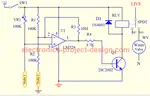 Experiment and test out this automatic garden watering circuit that will detect the moisture of the soil and on or off the water valve accordingly.
Design and build a battery tester to test dry cell and rechargeable battery with a voltage of less than 2V. Check here.
PCB Prototypes
Make your own printed circuit board and learn the processes involved along the way. More here.
Learn how to dissipate heat from your heat-sensitive electronic components.
Test the reliability of your products to the environment by stressing them in test lab.
Explore the use of 7-Segment Display, 555 Timer, Decade Counter and Binary Adder. Get the circuit.
Construct this simple door bell chime and have fun. Find out more here.
Build this simple home alarm to protect your house from intruders. See the schematic circuit.
New! Comments
Have your say about what you just read! Leave us a comment in the box below.