Logic Analyzer
Introduction to Logic Analyzer
In the process of debugging and doing validation in a digital system, one of the common task a designer need to do is the acquisition of digital waveform The basic problem that a logic analyzer solves is that a digital circuit is too fast to be observed by a human being, and has too many channels to be examined with an oscilloscope.
It has an oscilloscope display that displays the digital states of the system under test. It is a tool that allows numerous digital waveform to be acquired simultaneously. The acquisition can be clocked internally, or the test system can provide the sample clock.
It would trigger on a complicated sequence of digital events, and then copy a large amount of digital data from the system under test. The captured data will enable the user to locate failure of the digital system.
Typical digital oscilloscopes have up to four signal inputs. Logic analyzers, have channels range from 34 to 136. Each channel inputs one digital signal. It measures and analyzes signals differently than an oscilloscope.
It doesn’t measure analog details. Instead, it detects logic threshold levels. When you connect an analyzer to a digital circuit, you’re only concerned with the logic state of the signal. In summary, it is used to do the followings.
- Debug and verify digital system operation
- Trace and correlate many digital signals simultaneously
- Detect and analyze timing violations and transients on buses
- Trace embedded software execution
How To Use
Step 1: Probe
The acquisition probes connect to the System Under Test. The probe’s internal comparator is where the input voltage is compared against the threshold voltage (Vth), and where the decision about the signal’s logic state (1or 0) is made.
The threshold value is set by the user, ranging from TTL levels to, CMOS, ECL, and user-definable. The probe should have minimal capacitance, resistance and inductance loading to ensure a high-quality signal path to the logic analyzer from the system under test.
Step 2: Setup
There are two types of data acquisition:
a) Asynchronous acquisition captures signal timing information. In this mode, a clock internal to the logic analyzer is used to sample data. The faster that data is sampled, the higher will be the resolution of the measurement.
There is no fixed timing relationship between the target device and the data acquired by the logic analyzer. This acquisition mode is primarily used when the timing relationship between system under test signals is of primary importance.
b) Synchronous acquisition is used to acquire the “state” of the system under test. A signal from the system under test defines the sample point (when and how often data will be acquired).
The signal used to clock the acquisition may be the system clock, a control signal on the bus, or a signal that causes the system under test to change states. Data is sampled on the active edge and it represents the condition of the system under test when the logic signals are stable.
The analyzer samples when, and only when, the chosen signals are valid. What transpires between clock events is not of interest here.
Step 3: Acquire
The analyzer’s probing, triggering, and clocking systems exist to deliver data to the real-time acquisition memory. This memory is the heart of the instrument – the destination for all of the sampled data from the System Under Test, and the source for all of the instrument’s analysis and display.
The analyzers have memory capable of storing data at the instrument’s sample rate.
Step 4: Analyze and display
The data stored in the real-time acquisition memory can be used in a variety of display and analysis modes. Once the information is stored within the system, it can be viewed in formats ranging from timing waveform to instruction mnemonics correlated to source code.
The waveform display is a multi-channel detailed view that lets you see the time relationship of all the captured signals, much like the display of an oscilloscope. The waveform display is commonly used in timing analysis, and it is ideal for Diagnosing timing problems in hardware.
Verifying correct hardware operation by comparing the recorded results with simulator output or data sheet timing diagrams, Measuring hardware timing-related characteristics and analyzing glitches.
Back To Logic Analyzer Home Page

Recent Articles


-
Electronics Events
Join the electronics events to enhance your knowledge and network with other professionals in this industry. -
Electronics Design Contest
 Join electronics design contest and win prizes. Test your hardware and software skills against the best designers from the rest of the world.
 -
Garden Watering Circuit
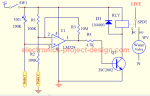 Experiment and test out this automatic garden watering circuit that will detect the moisture of the soil and on or off the water valve accordingly.
Design and build a battery tester to test dry cell and rechargeable battery with a voltage of less than 2V. Check here.
PCB Prototypes
Make your own printed circuit board and learn the processes involved along the way. More here.
Learn how to dissipate heat from your heat-sensitive electronic components.
Test the reliability of your products to the environment by stressing them in test lab.
Explore the use of 7-Segment Display, 555 Timer, Decade Counter and Binary Adder. Get the circuit.
Construct this simple door bell chime and have fun. Find out more here.
Build this simple home alarm to protect your house from intruders. See the schematic circuit.
New! Comments
Have your say about what you just read! Leave us a comment in the box below.