Multimeter
A multimeter is an indispensable tool used to make various electrical measurements of which we are not able to see with our naked eyes without the aid of this valuable tool.
This should be the first equipment that a beginner to electronics should have as this tool is not just useful in the design and development of electronics project but also in the troubleshooting of faulty equipment. Make sure that you have the necessary experience in electronics before using this tool to measure the voltages, currents or resistance of a circuit.
It can be used to measure AC and DC voltage, AC and DC current, and resistance by changing the settings and range of the multimeter. It combines the functions of a voltmeter, ammeter, and ohmmeter. Some also have additional features like diode testing, continuity testing, transistor testing and capacitance testing. The measuring range can be set by changing the range setting of the meter.
By having this tool, one will be able to measure the resistance of a component, the capacitance of a capacitor, open or short circuit of a component, current that flows through the circuit, the differential voltage between two points, type of transistors whether it is PNP or NPN, and a host of other applications.
There are two types of meter i.e. digital and analog type. The digital type has a LCD display whereas the analog type has a needle with a linear/non linear display at its background which is used depending on its setting.
Pre-caution
a) Disconnect it before adjusting the range switch.
b) Check the setting of the range switch before connecting to the circuit.
c) When not in used, do not leave the meter set to a current range because the meter has a low resistance and can be damaged easily at the setting.
d) Do not use the meter if the meter or the test leads look damaged.
e) Do not measure resistance in a circuit when power is applied to the circuit.
f) Do not apply more than the rated voltage between any input jack and the common point.
g) When making measurements, Keep your fingers behind the finger guards on the test probes.

Recent Articles


-
Electronics Design Contest
 Join electronics design contest and win prizes. Test your hardware and software skills against the best designers from the rest of the world.
 -
Garden Watering Circuit
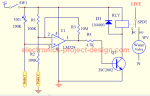 Experiment and test out this automatic garden watering circuit that will detect the moisture of the soil and on or off the water valve accordingly.
 -
Electronics Events
 Join the electronics events to enhance your knowledge and network with other professionals in this industry.
Design and build a battery tester to test dry cell and rechargeable battery with a voltage of less than 2V. Check here.
PCB Prototypes
Make your own printed circuit board and learn the processes involved along the way. More here.
Learn how to dissipate heat from your heat-sensitive electronic components.
Test the reliability of your products to the environment by stressing them in test lab.
Explore the use of 7-Segment Display, 555 Timer, Decade Counter and Binary Adder. Get the circuit.
Construct this simple door bell chime and have fun. Find out more here.
Build this simple home alarm to protect your house from intruders. See the schematic circuit.
New! Comments
Have your say about what you just read! Leave us a comment in the box below.